

Download yEd – Free Diagramming Tool for Windows, macOS, Linux
Overview
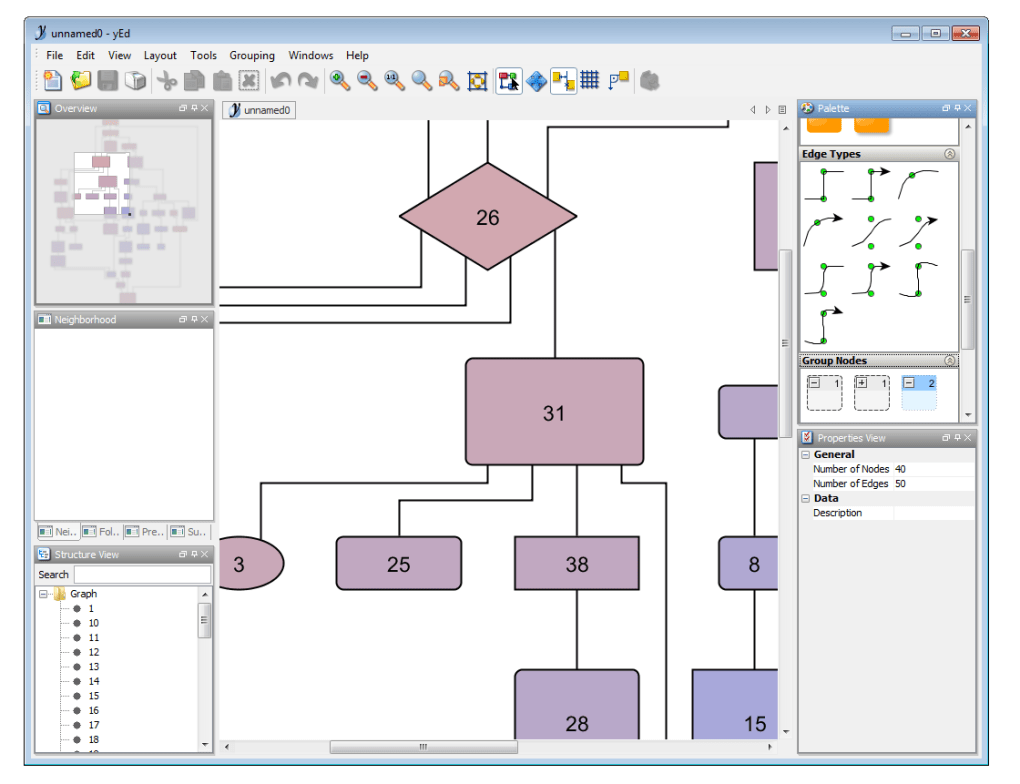
yEd is a professional, free diagramming application that lets users create high‑quality flow charts, network diagrams, mind maps, and UML sketches with minimal effort. First released for Windows XP and later expanded to macOS and Linux, yEd has become a staple for students, analysts, and business professionals who need a fast, reliable way to visualise complex information. The current stable version, 3.5.0.2, was refreshed on July 6 2011 and continues to receive regular security updates, ensuring a secure environment for sensitive data.
With a lightweight footprint—requiring far less disk space than many competing design tools—yEd is ideal for computers with limited resources. Its multilingual support includes English and German, and the interface is intuitive enough for beginners while offering advanced layout algorithms for power users. Since its catalog debut in 2011, yEd has logged nearly 50,000 downloads, with a recent surge of 18 installations in the last week alone, reflecting its growing popularity across the United States, Canada, and even emerging markets like Cambodia.
Whether you need to draft a quick organisational chart or a detailed process flow, yEd delivers crisp graphics, automatic layout options, and export capabilities to PNG, SVG, PDF, and more, all without a price tag.
Features and Installation Guide
Key Features
- Automatic layout algorithms (organic, hierarchical, orthogonal, circular)
- Extensive shape library: flow‑chart symbols, BPMN, UML, network icons
- Drag‑and‑drop editing with real‑time snapping and alignment guides
- Export to popular formats: PNG, JPEG, SVG, PDF, GraphML, EPS
- Customizable styles, colors, and fonts for branding consistency
- Support for large diagrams up to tens of thousands of elements
- Cross‑platform: native installers for Windows, macOS, and Linux
- Multi‑language interface (English, German, and more via community packs)
- Free for personal and commercial use—no hidden license fees
- Regular security patches and bug‑fix releases
Step‑by‑Step Installation & First‑Run Tips
Installing yEd is straightforward. Follow these steps for a smooth setup on any supported operating system:
- Download the installer: Visit the official yEd website and choose the appropriate package—
.exefor Windows,.dmgfor macOS, or.tar.gzfor Linux. - Run the installer: On Windows, double‑click the
.exefile and follow the wizard; macOS users drag the app into the Applications folder; Linux users extract the archive and run the provided shell script. - Accept the license agreement: yEd is free, but you must acknowledge the terms of use.
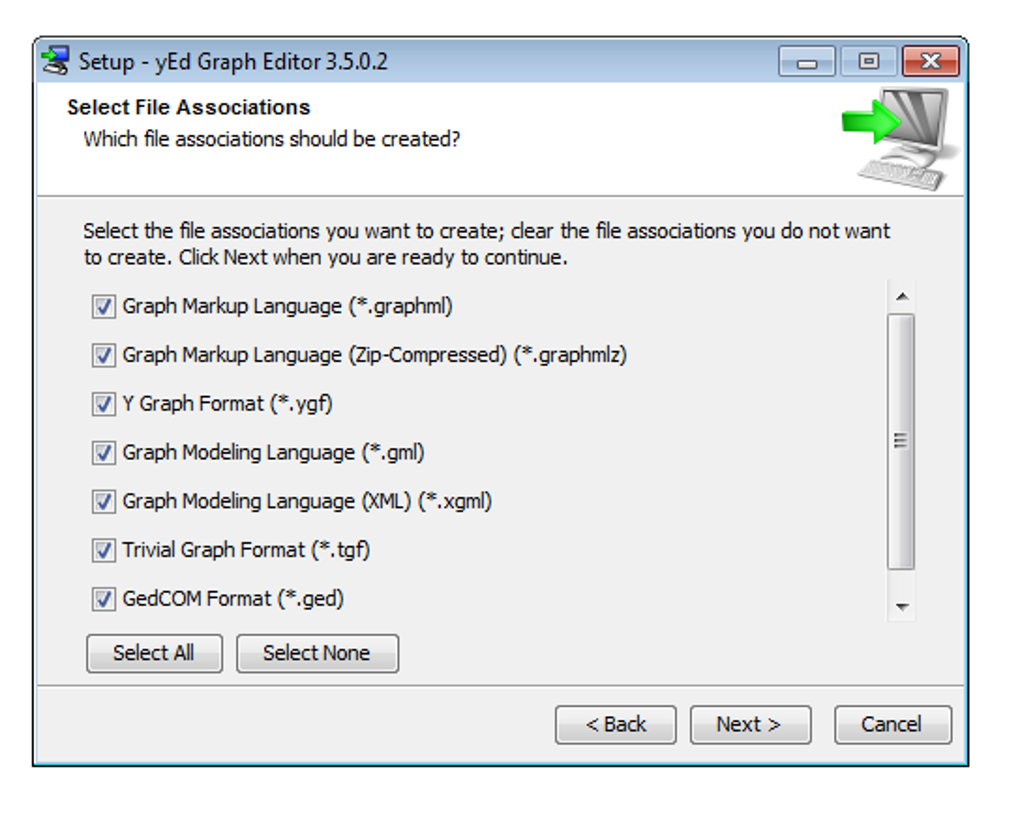
- Choose installation options: You can select a custom install path, create desktop shortcuts, and opt‑in for automatic update checks.
- Complete the installation: Click “Finish” and launch yEd. The first launch may prompt you to import sample diagrams to explore features.
- Configure preferences: Open the “Preferences” dialog (Edit → Preferences) to set default export formats, grid spacing, and language.
- Create your first diagram: Use the toolbar to add shapes, then apply an automatic layout (Layout → Hierarchical) to instantly organise the elements.
For best performance, ensure your Java Runtime Environment (JRE) is up to date, as yEd relies on Java 8 or later. Regularly check the “Help → Check for Updates” menu to stay current with security patches and new layout algorithms.
Compatibility, Pros & Cons, and Frequently Asked Questions
Operating System Compatibility
yEd runs on Windows XP through Windows 10 (64‑bit recommended), macOS 10.10 and later, and major Linux distributions (Ubuntu, Fedora, Debian) that support Java 8+. The application’s low memory footprint (under 150 MB RAM on launch) makes it suitable for older machines as well as modern workstations.
Pros
- Completely free for commercial and personal use.
- Powerful automatic layout engines save hours of manual alignment.
- Cross‑platform support eliminates the need for multiple licenses.
- Extensive export options simplify sharing with non‑technical stakeholders.
- Lightweight installer and fast start‑up time.
Cons
- Interface feels dated compared to modern SaaS diagram tools.
- No real‑time collaboration; diagrams must be shared as files.
- Limited cloud integration (no native OneDrive/Google Drive sync).
- Advanced customization requires familiarity with XML style files.
- Support is community‑driven; no dedicated 24/7 help desk.
FAQ – Frequently Asked Questions
Is yEd truly free for commercial projects?
Yes. yEd is released under a free‑to‑use license that permits both personal and commercial use without any hidden fees or subscription costs.
Can I import diagrams from Visio or other tools?
yEd supports GraphML and XMI imports, which cover many Visio export options. You can also copy‑paste vector graphics from most diagram editors, though layout adjustments may be needed.
Does yEd work on tablets or mobile devices?
The desktop version is optimized for Windows, macOS, and Linux. While there is no native iOS/Android app, you can run yEd on a tablet using a remote desktop client or Linux‑on‑Android solutions.
How secure is the software when handling confidential data?
yEd does not transmit data over the internet unless you explicitly export or share files. Keeping your Java runtime updated and using encrypted storage (e.g., BitLocker or FileVault) ensures local diagram security.
Can I customize the look and feel of shapes globally?
Yes. yEd provides a “Styles” panel where you can define default colors, line thickness, and fonts. These settings can be saved as a style template and applied to new diagrams automatically.
Conclusion & Call to Action
yEd remains one of the most capable free diagramming utilities on the market. Its blend of automatic layout intelligence, cross‑platform availability, and zero cost makes it an attractive alternative to pricey SaaS competitors, especially for users who value offline security and lightweight performance. While the UI may not be as glossy as modern cloud‑first tools, the functional depth—ranging from simple flowcharts to complex network topologies—delivers unmatched value for both novices and seasoned architects. If you need a reliable, secure, and cost‑free way to visualise processes, organisational structures, or technical schematics, yEd should be at the top of your download list.
Ready to boost your visual communication? Download yEd now and start creating professional diagrams in minutes. Remember to check for updates regularly to benefit from the latest layout algorithms and security patches.
yEd offers a solid set of features for free, making it an excellent choice for individuals and businesses alike. Its automatic layout engine saves time, and the multi‑platform support ensures you can work wherever you are. The main drawbacks are its dated UI and lack of real‑time collaboration, but these are outweighed by its robustness and zero price tag.







